
How to Play Task Bar of Ragnalis
From Steam install to your first automatic battles on the desktop.
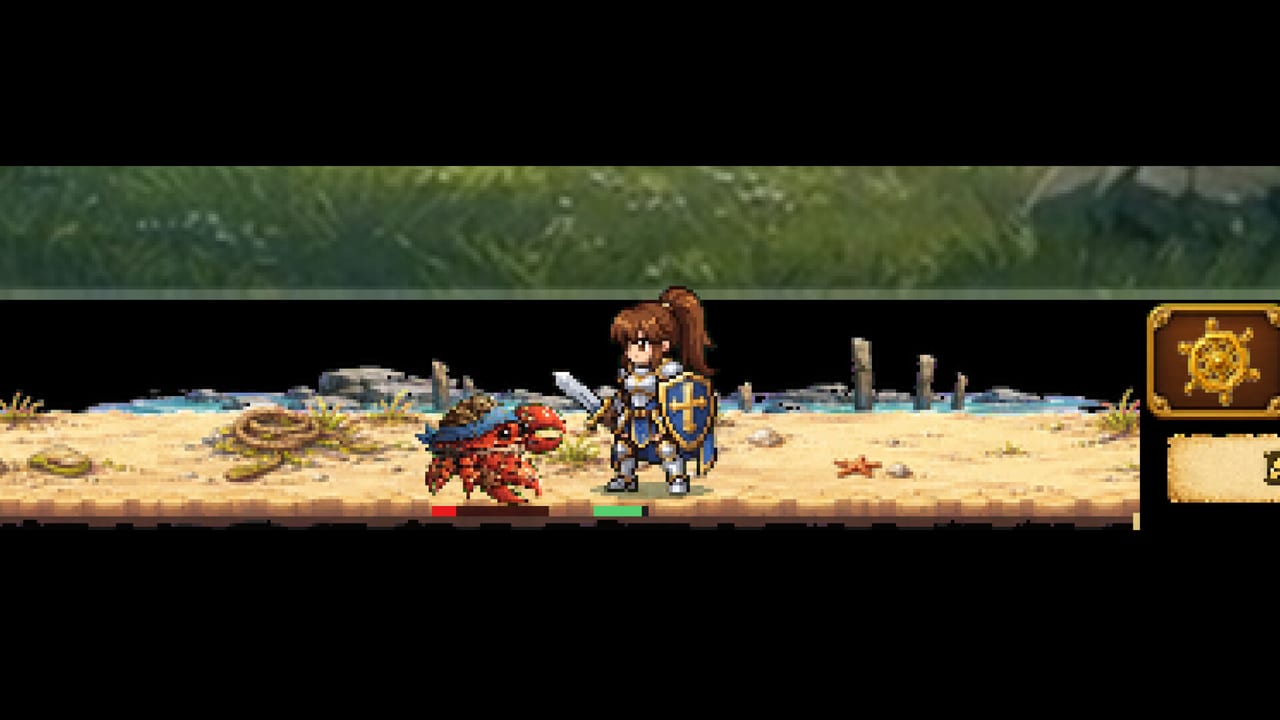
What kind of game this is
Task Bar of Ragnalis is a free-to-play idle auto-battle RPG for Windows. Combat runs in a compact window designed to sit with your taskbar while you browse, work, or watch videos. You do not manually combo enemies. Your job is to check in, equip better gear across eight slots, stack duplicates toward nine-copy tier-ups, and decide how a party of up to three heroes should grow with frontline and backline seats.
That design creates a different skill curve than action RPGs. Mistakes show up as stalled waves, class-locked loot you cannot equip, inventories full of unranked junk, or—at launch—chests and EXP that simply stop. This guide explains the real loop so you know what to touch between automatic fights.
Install and first launch
- Open the official Steam page for Task Bar of Ragnalis (App ID 4830880) and install the free client.
- Confirm Windows 10/11 64-bit, enough free disk space (about 1.2–1.5 GB), and a GPU path that supports OpenGL 3.3 or Vulkan.
- Launch once in a normal window before you minimize everything. Learn where equipment, party, and upgrade menus live while text is still readable.
- If the UI looks tiny on a 4K display, read Taskbar Setup and System Requirements before you grind for hours in an unreadable pane. v1.0.1 also added a temporary text size option—use it when tooltips are hard to parse.
The core idle loop
While the game is open, heroes clear enemies, open treasure chests, and collect weapons, cards, and other gear. Offline rewards exist when you step away, but closing the client is not the same as leaving it minimized. You return to:
- Equip stronger pieces and replace dead weight
- Stack copies toward the nine-item tier-up rule described in How to Stack Items
- Adjust skills and party composition in the Classes systems
- Spend gold and upgrades so the next AFK block is stronger than the last
If rewards feel empty, verify the process is still open and you are not stuck on a soft wall—see Early Progression. If chests will not open, EXP stops, or the map freezes, jump to Troubleshooting and Patch Notes for the v1.0.2 fixes and soft-ban notes before you rebuild the whole account.
Your first hero decisions: the four free classes
Official Steam news lists four free base classes. Learn them by name:
- Templar Knight — frontline defender powered by Sigils
- Priest — healer who turns Prayer into recovery and rescue
- Witch — backline damage dealer built around Full Cast spells
- Gunner — ranged attacker who marks and eliminates priority targets
Pirate and Overlord are optional DLC—evaluate them later on Pirate & Overlord. Do not assume every drop is usable: equipment can be class-restricted. Before you panic-sell, open the item tooltip and confirm who can wear it. Pair this guide with Beat Early Waves if your opener cannot clear early maps, and remember Gunner received an accuracy fix in v1.0.1 alongside easier stages 1-1 to 1-3.
When a second and third party slot open, think in roles instead of collecting every shiny class. A durable frontliner (Templar Knight), a clearer (Witch or Gunner), and Prayer sustain (Priest) is easier to gear than three overlapping glass cannons. Use the Party Planner after you read Party Builds and the Tier List.
Settings Reset button
v1.0.1 added a Reset button in Settings. Changing character means starting over—not a soft respec for imaginary talent trees. Use Reset only when you intend a fresh run. If a 1.0.1 reset broke rewards, the studio’s emergency note was to press Reset again; details live in Patch Notes and Troubleshooting.
Loot, chests, and random skills
Chests are the heartbeat of progression. Weapons and cards can roll random skills, so two swords with the same name are not equal. That RNG is intentional: keep diving stages when you need a better roll, and only heavily invest materials into pieces that match your party plan. Deep detail lives in Random Skills Explained and the Items hub.
Steam Market trading is indefinitely postponed, so do not plan progression around player-to-player gear sales.
DLC awareness without paywall panic
Steam lists paid class packs such as Pirate and Overlord plus storage expansion. You can learn the free loop with Templar Knight, Priest, Witch, and Gunner first. When you evaluate purchases, use the DLC Overview, Pirate & Overlord, and DLC Cost Checker. Do not buy storage before you understand which items are actually worth keeping.
How to practice without burning out
- Schedule short check-ins: equip, stack, adjust, then leave the window running
- Prefer stacking toward tier-ups over selling every common for tiny gold
- Revisit Controls if menus feel awkward with keyboard-only or mouse-only habits
- Keep expectations grounded with the Honest Review—launch reception was rough, so patience and patch awareness matter
- Bookmark Troubleshooting for soft-ban, chest, and EXP symptoms instead of rage-resetting
Video walkthrough
The embedded launch overview below shows how the desktop battlefield is presented at release. Watch it after you finish the checklist above, then come back to the stacking and early-wave guides for mechanical depth.
Next steps after you understand the loop
Move from this page into First Look & Gameplay for more footage context, then Stack Items so loot starts compounding. When you care about ranking classes, open the Tier List. For patch history, use Patch Notes. For a cold decision on time investment, read Is It Worth Playing.
Playing well in Task Bar of Ragnalis means managing systems between automatic battles. Master that rhythm and the taskbar stops being a novelty window and starts being a progress machine.
Frequently Asked Questions
Quick answers to the most common questions.
Do I need to click during combat?
No. Combat is automated. Your impact is equipment, stacking, skills, and party setup between fights.
What are the free classes?
Templar Knight, Priest, Witch, and Gunner. Pirate and Overlord are optional DLC.
Should I keep the game open or closed while AFK?
Keep it running (often minimized). Closing the client stops the intended idle battle loop, though offline rewards also exist—see [Early Progression](/guides/early-progression/).
Where do I go after this beginner page?
Read [Early Progression](/guides/early-progression/) and [How to Stack Items](/guides/stack-items/). If something is broken, use [Troubleshooting](/guides/troubleshooting/) and [Patch Notes](/updates/patch-notes/).